
PixMMO · Wiki
Play freeParty System Guide
A Party is the group you raid with — up to 15 players. It's separate from a Travel Party (which shares travel rewards), and you can be in both at once.
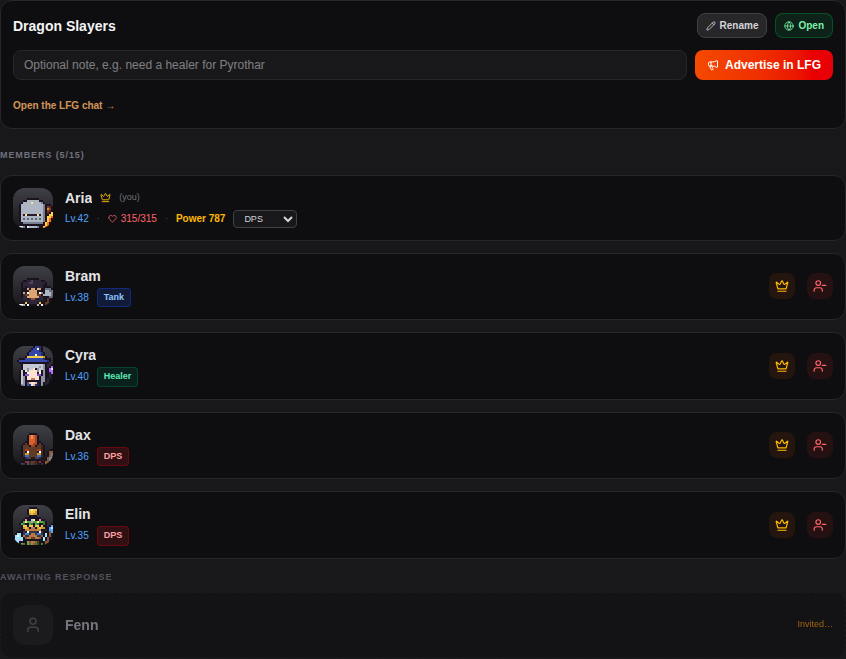 A party of five with its roles, a pending invite and the leader's controls
Creating a Party
- Open the Party page and press Create Party. You become the leader (the crown).
- Give it a name (up to 30 characters). Without one it's called "Leader's Party".
- Switch it between Open and Invite only.
Finding Members
Invite
Type a name under Invite Player. They'll see the invite at the top of their Party page and can Accept or Decline. Until then they're listed under Awaiting Response.
 An invite on the invited player's Party page
Open Parties
Open parties are listed under Open Parties for everyone without a party. Anyone can Join while there's room.
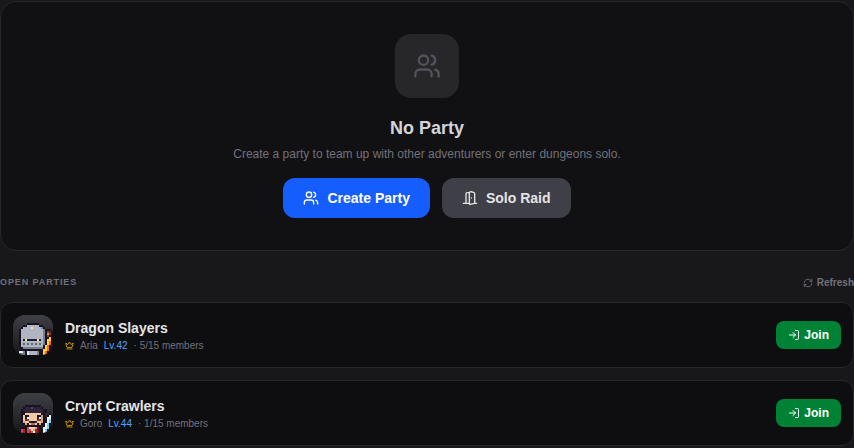 Open parties anyone can join
Looking for Group
Under Advertise, add a note if you like ("need a healer for Pyrothar") and press Post in LFG to post your party in the LFG chat channel. Players get a Join Raid Team button right on the message. You can post once a minute.
- Posting an advert opens your party, so anyone can join it.
- When it's switched on, the Discord button posts your party to the Discord raid channel with a join link (once every 5 minutes).
- You can't advertise during a raid or when the party is full.
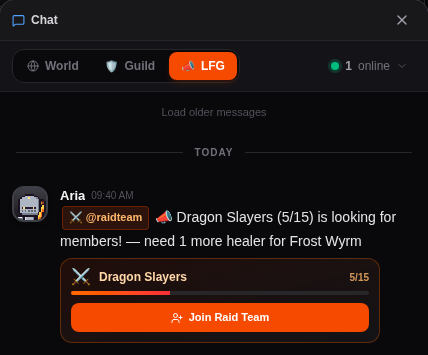 A party advert in the LFG chat
Raid Formation
Your role comes from your equipped gear: a healing wand makes you a Healer, a bow or damage wand makes you DPS, and with a melee weapon your armor pieces decide. The formation shows how many tanks, healers and DPS you have, marks your role, and warns you if the party has no tank or no healer. Use Change Gear to switch.
 Raid Formation: one tank, one healer, three DPS
See the Raids Guide for what each role does in a fight.
Leader Controls
- Rename the party and switch it Open / Invite only.
- Kick a member, or promote someone to leader (the crown button next to their name).
- Go to Raid to pick a raid and start the Ready Check. You need the raid's Raid Key in your bag.
- Disband the party.
Members
- Mark yourself Ready during a Ready Check.
- Leave at any time.
When the leader starts a raid, every member is pulled into the fight and watches it live.
Numbers on this page may change with balance updates.
Want to see it in action?
Play free