
PixMMO · Wiki
Play freeMarketplace Guide
The Marketplace is where players buy and sell items — for Gold or Gems, at a fixed price, by auction or through buy orders. Open it from Market in the menu.
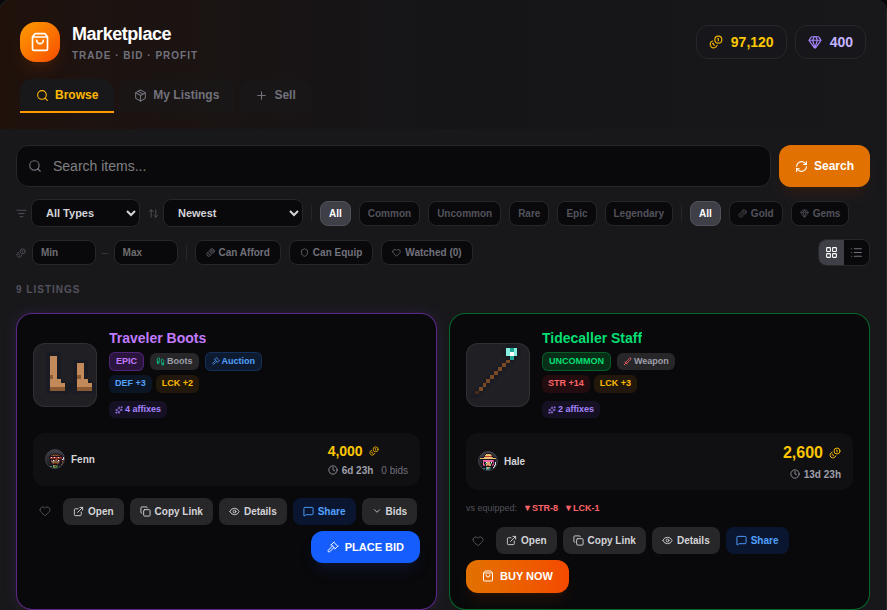 Browsing the Marketplace
At a Glance
| Rule | Value |
|---|---|
| Marketplace fee | 5% of the sale price, paid by the seller |
| Fixed-price listings | stay up for 14 days |
| Buy orders | stay up for 14 days |
| Auctions | 6h, 12h, 3 days or 7 days |
| Gold from sales | goes into your Town Bank |
| Gems from sales | go straight to you |
Buying
- Search by name and filter by type, rarity, currency and price. Sort by newest or price.
- Can Afford and Can Equip hide what you can't buy or wear. Watched shows the listings you've marked with the heart.
- Each listing shows its stats and affixes, how long it has left, and vs equipped — how it compares to what you're wearing.
- Buy Now buys a fixed-price listing right away.
- Stacks (materials, potions, Raid Keys…) can be bought in part: pick how many you want and pay the price per unit.
Estimated Value and Price History
Under the price you often see est. ~1,800 — what players actually paid for the same item in the last 30 days. Sales with the same rarity, upgrade level and affixes count most. Use it to spot a bargain (or a rip-off).
Every item also has a Market history page: its price over time, recent sales, the last sale and what's on sale now.
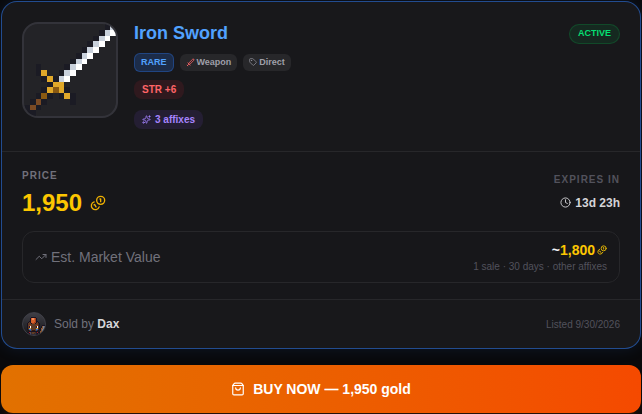 A listing: price, time left and its estimated market value
Buy Orders
Want something that nobody is selling right now? Place a buy order.
- Buy orders are for stackable items only (materials, consumables, Raid Keys…).
- Pick the item, how many you want and your max price per unit. You can see the cheapest listing and the best buy order next to it.
- The full price is held until the order fills, like a bid. Cancel the order to get back what hasn't been spent.
- Sellers can sell straight into your order, also just part of it. A new fixed-price listing at or below your price fills your order right away.
- If your bag is full, the bought items wait in the order until you collect them.
- Your orders are in the Buy Orders tab.
Auctions
- Place Bid — your bid must be above the current highest bid (or at least the starting bid).
- Your bid is reserved: you can't spend that Gold or those Gems while you're the highest bidder. If someone outbids you, it's released.
- Buyout — some auctions have a buyout price. Pay it to win right away.
- When the auction ends, the highest bidder gets the item and the seller gets paid.
- The listing page shows the full bid history.
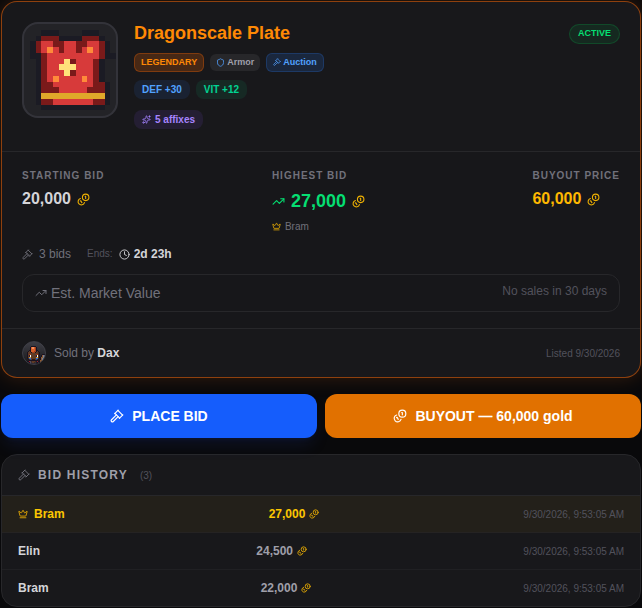 An auction: starting bid, highest bid, buyout price and bid history
Selling
- Open the Sell tab and pick an item from your bag.
- Choose Direct Sale (fixed price) or Auction.
- Choose Gold or Gems.
- For a stack, choose how many to sell and the price per unit.
- For an auction, pick the duration (6h, 12h, 3d or 7d), a starting bid and, if you like, a buyout price.
- Set your price. The form shows the estimated value, the 5% fee and exactly what you'll receive.
If someone has a buy order for your item, you can also sell to it instantly.
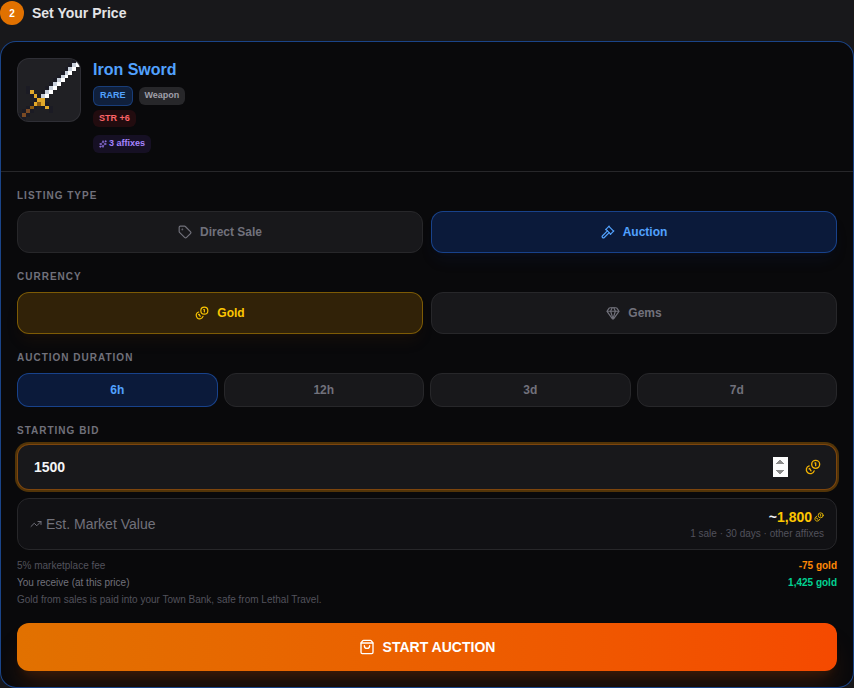 Listing an item for auction
- Gold from a sale goes into your Town Bank, safe from Lethal Travel. Gems go straight to you.
- Fixed-price listings that don't sell in 14 days come back to your bag. So does an auction that ends without bids — keep a free slot.
- You can't list items while Lethal Travel is on.
My Listings
My Listings shows your active listings with what you've earned. Cancel takes a listing down and gives you the item back (any bid on it is refunded). Show History adds your sold, expired and cancelled listings.
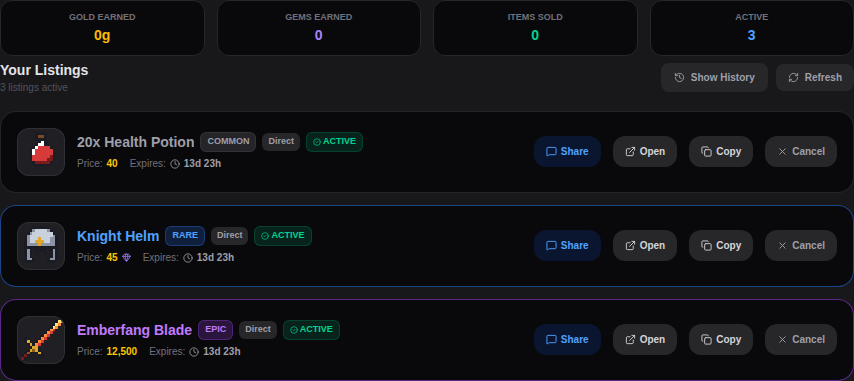 Your active listings
Sharing
Share posts a listing into the chat, and Copy Link copies a link to its page — handy for trading with friends or showing off a find.
Tips
- Check the estimated value and the Market history before you buy or list.
- Need materials for the Smith? A buy order collects them while you play.
- Before you bid, make sure you'll have a free bag slot when the auction ends.
Numbers on this page may change with balance updates.
Want to see it in action?
Play free